
When Occupancy has no figures to show
A selected facility can show no figures for one of two reasons. Check the cards to tell them apart: No data or Needs 50% of days reported.
Before you start
Plan: Available on all plans.
The facility isn't connected
Every card reads No data. Occupancy reads data from Services Australia through PRODA, so a facility without a PRODA connection has nothing to show. Your other facilities aren't affected.
- Banner (1): says the facility isn't connected to Services Australia.
- Actions (2): Connect PRODA is for whoever sets up the connection; Get help is for everyone else.
- Cards (3): each reads No data, and the period control is greyed out.
There isn't enough reported data
Every card reads Needs 50% of days reported. The facility is connected, but fewer than half the days in the period have arrived, so Occupancy won't calculate figures.
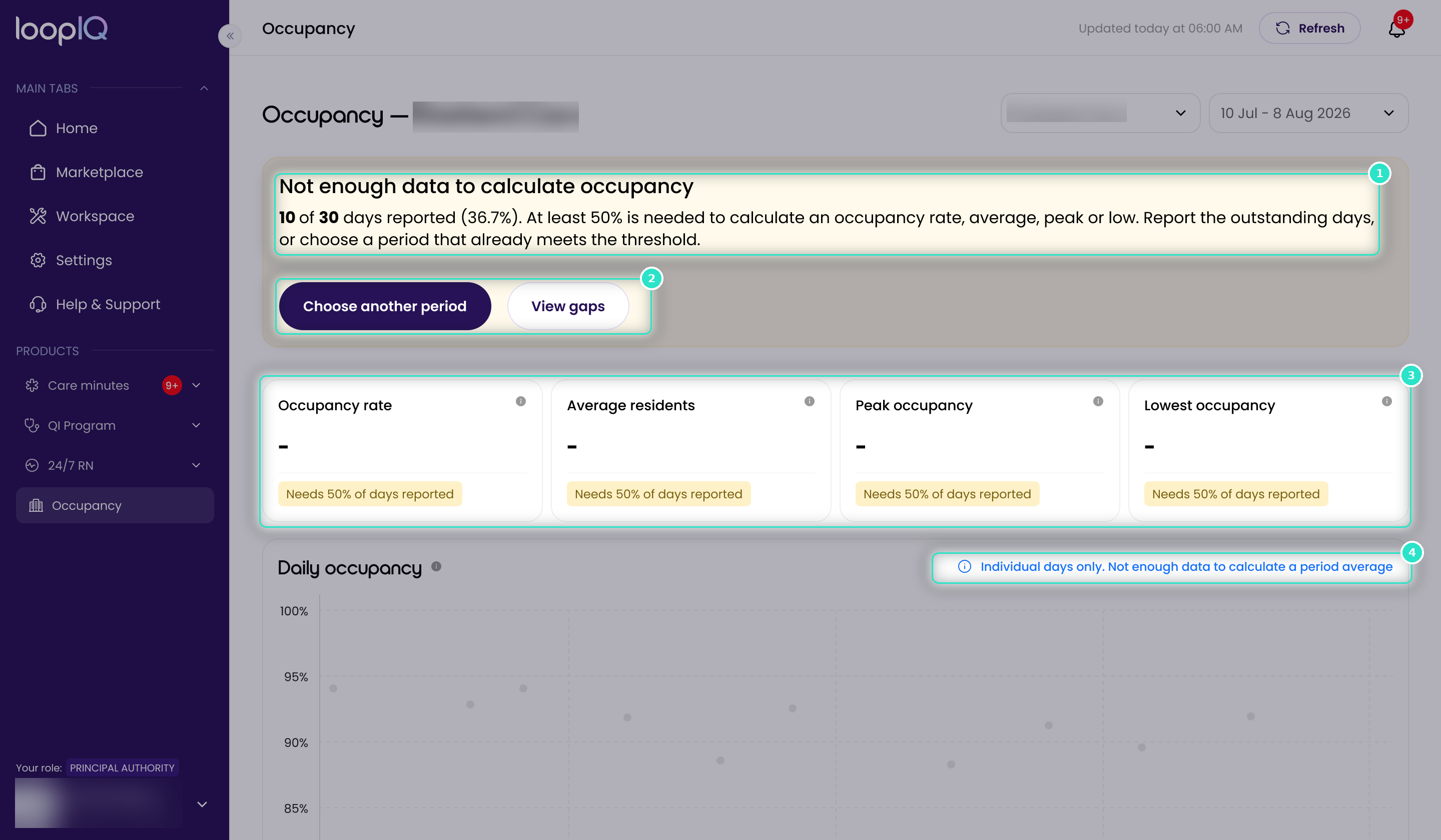
- Banner (1): gives the count, e.g. 10 of 30 days reported.
- Actions (2): Choose another period opens the period control; View gaps shows which days are missing.
- Cards (3): show no figures in place of a number.
- Chart note (4): the chart plots single days with no line or average.
The 50% rule applies to the period, not the facility. A longer or older period may show full figures.
Important: Refresh fixes neither. Services Australia can't send days it hasn't received.
Was this article helpful?
Can't find what you are looking for?
Loop IQ customers - log a support ticket.
Not yet a customer? Email our support team.
 Log a support ticket
 support@loopiq.com.au