
Bed days by place type explained
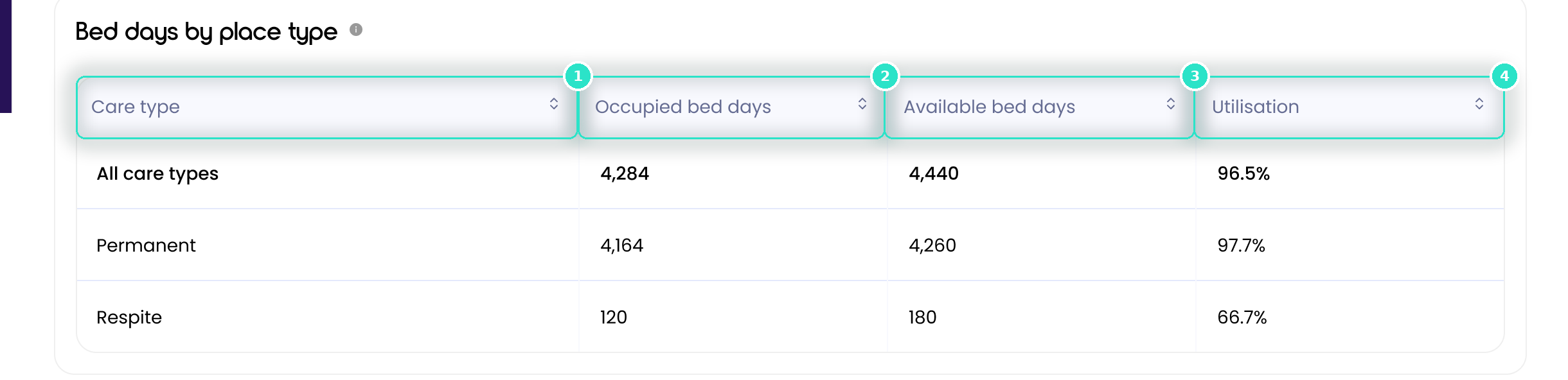
The Bed days by place type table sits under the chart and splits the period by the types of place a facility holds, such as Permanent and Respite.
Before you start
Plan: Available on all plans.
Columns
Click any column header to sort the table by it.
- Care type (1): the type of place in each row. All care types is the whole facility.
- Occupied bed days (2): occupied bed days for that type across the period, counting reported days only.
- Available bed days (3): that type's places multiplied by the number of reported days.
- Utilisation (4): occupied bed days as a share of that row's available bed days.
The table recalculates whenever you change the period.
Important: If too few days are reported, the table says so instead of showing a partial split. See When Occupancy has no figures to show.
Was this article helpful?
Can't find what you are looking for?
Loop IQ customers - log a support ticket.
Not yet a customer? Email our support team.
 Log a support ticket
 support@loopiq.com.au