
Connect Services Australia (PRODA)
Services Australia is one of the key connections to set up. Loop IQ connects to PRODA through a B2B (business-to-business) device registered in your organisation's PRODA account. Occupancy, QI Program, 24/7 RN and Care minutes all depend on it.
Before you start
Plan: Available on all plans.
- Access: the Manage integration configurations permission is required in Loop IQ.
- PRODA login: a PRODA username and password with access to your organisation's B2B devices.
- Form AC027: the Services Australia form used to link your device to Loop IQ.
The process has four stages: register the device in PRODA, save the device details, submit Form AC027, and activate the connection in Loop IQ.
Register a B2B device in PRODA
- Go to the PRODA login page at https://proda.humanservices.gov.au/prodalogin/pages/public/login.jsf.
- Enter your Username and Password, then click Login. Complete two-step verification when prompted.
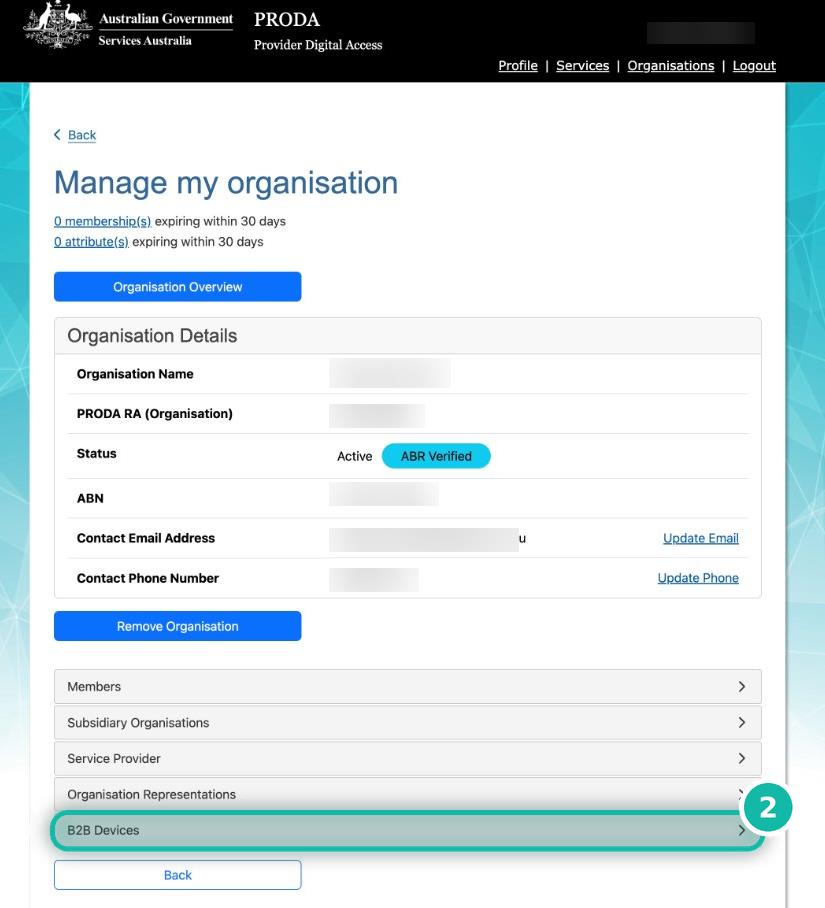
- In the top navigation bar, click Organisations (1).
- Select your organisation from the list.

- On the Manage my organisation page, scroll down and click B2B Devices (2).
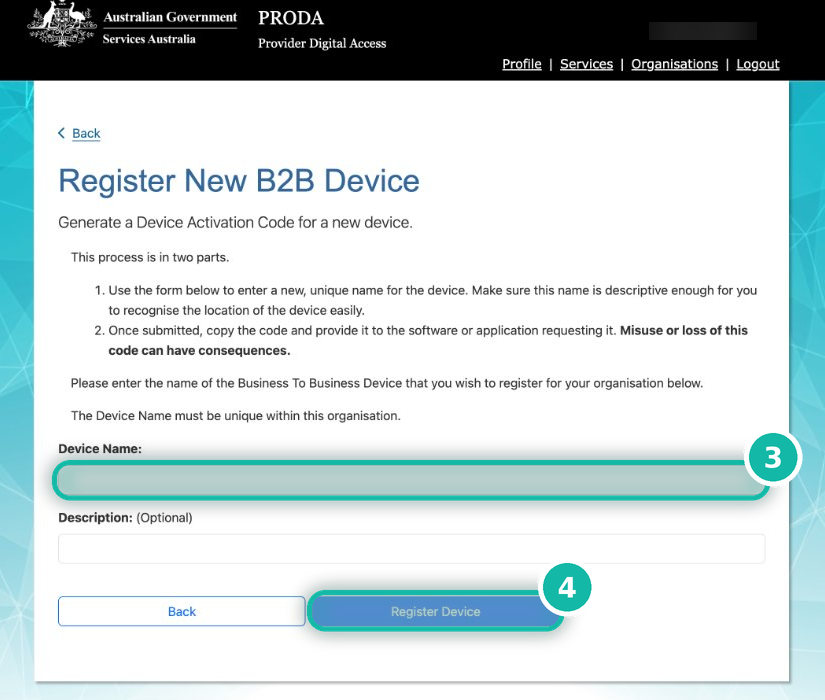
- Click Register New B2B Device.
- In Device Name (3), enter LoopIQ. This name is recommended so the device is easy to identify. The Description field is optional.
- Click Register Device (4).
Save the device details
After you register the device, PRODA displays a confirmation screen:
- Device Activation Code (1): copy and save this code immediately. Use Copy to clipboard to avoid errors.
- Device Name and PRODA RA (Organisation) (2): record both. You need them for Form AC027.
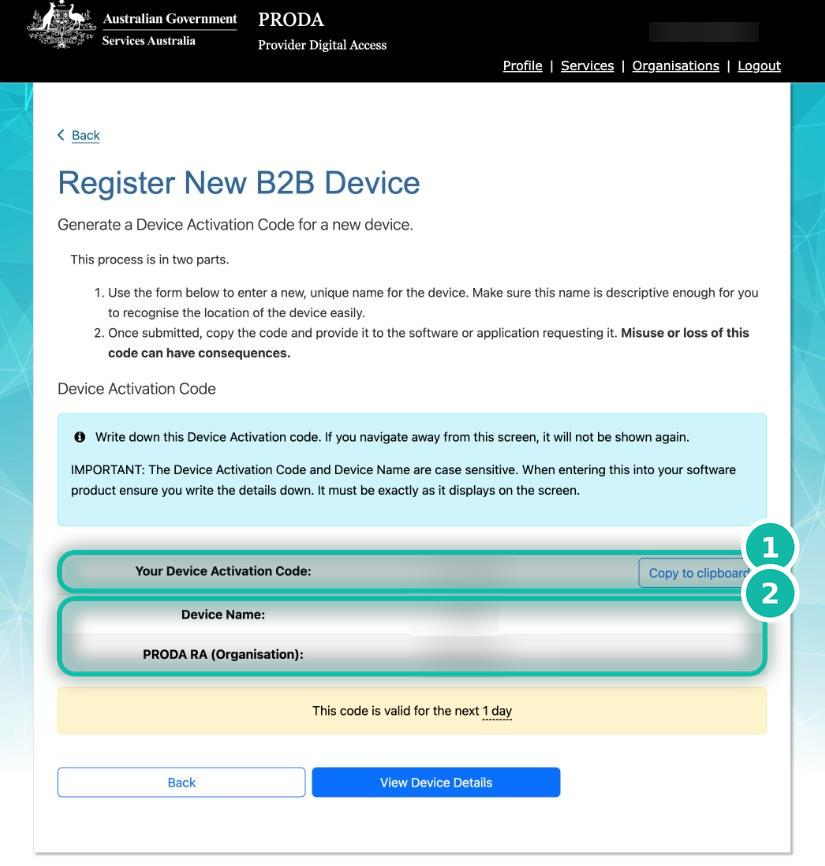
Important: the Device Activation Code is shown only once. If you leave this screen without saving it, it cannot be displayed again. The code and device name are case sensitive.
Important: the activation code is valid for one day. If it expires, generate a new code; you do not need to register a new device. See Generate a new activation code below.
Submit Form AC027
- Enter your Device Name and PRODA RA (Organisation) number on Form AC027.
- Send the completed form to the email address specified on the form.
- Copy onboarding@loopiq.com.au on the email.
Note: a form is rejected if the PRODA RA number is incorrect or the signatory is not registered in PRODA. Check both before sending.
Activate the connection in Loop IQ
- On the Integrations page, locate Services Australia and click Connect.
- Enter the B2B device name (1), exactly as registered in PRODA.
- Enter the Activation code (2).
- Enter your PRODA RA number (3).
- Click Continue (4).
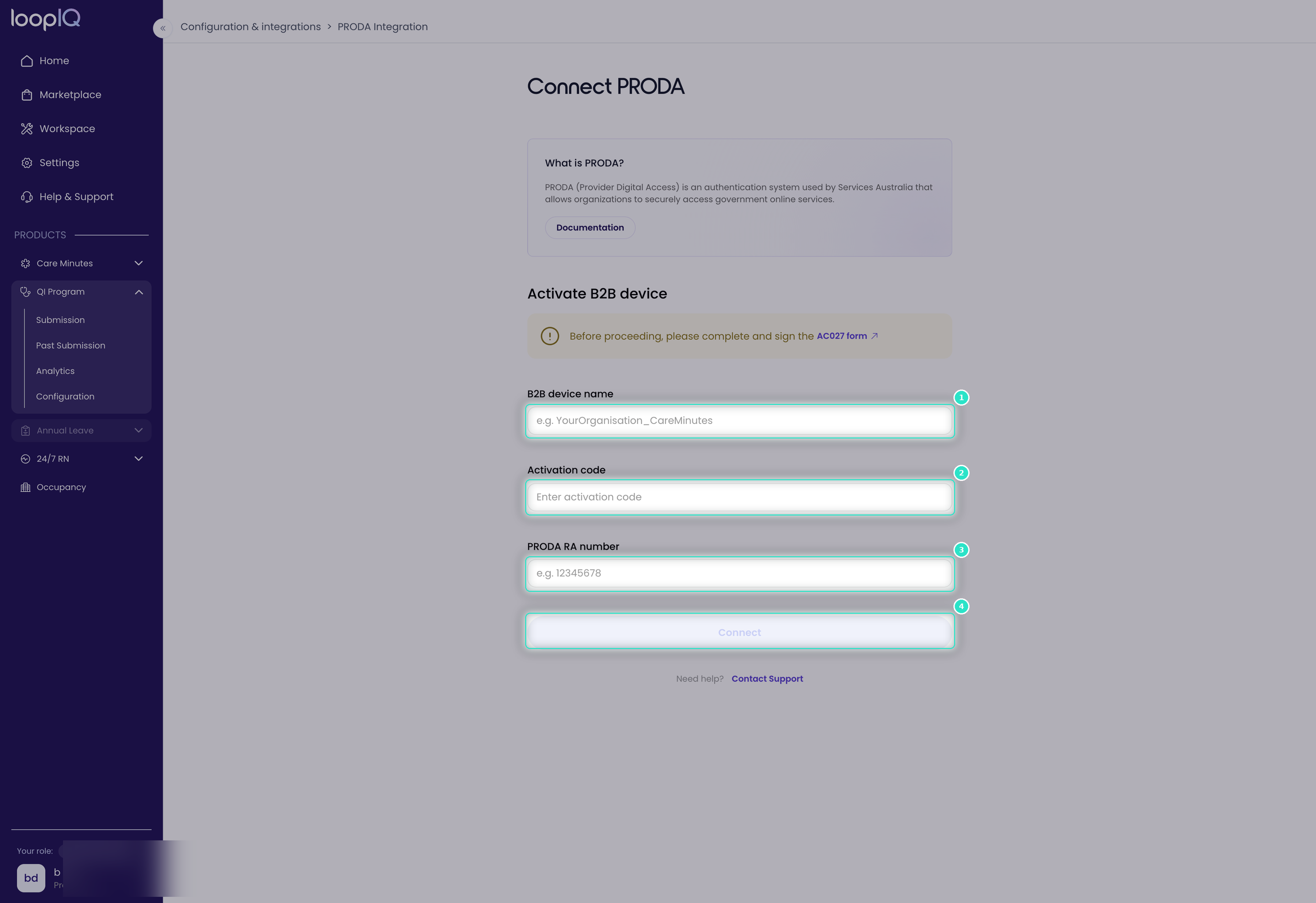
Loop IQ validates the details and activates the device with PRODA. The first refresh typically appears one or more days after activation. See Data status explained.
Generate a new activation code
Use these steps if the activation code expires before the connection is activated.
- Log in to PRODA and click Organisations in the top navigation bar.
- Select your organisation, then scroll down and click B2B Devices.
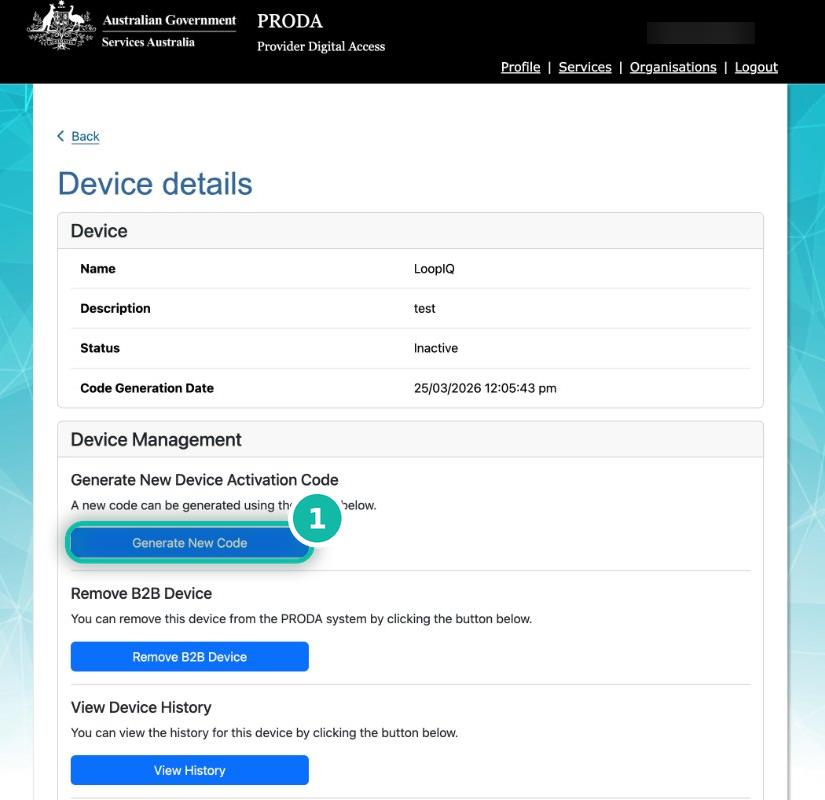
- Click the LoopIQ device to open the Device details page.
- Under Device Management, click Generate New Code (1).
- Copy and save the new code. It is valid for one day.
For more on confirming the first refresh, see Data status explained.
Was this article helpful?
Can't find what you are looking for?
Loop IQ customers - log a support ticket.
Not yet a customer? Email our support team.
 Log a support ticket
 support@loopiq.com.au