
Connect Department of Health (B2G)
The Department of Health connection is how Loop IQ lodges your QI Program and 24/7 RN submissions. Loop IQ maintains the Department side of the connection; your organisation provides its machine credential and GPMS identifiers once.
Before you start
Plan: Available on all plans. Free forever.
- Access: the Manage integration configurations permission is required.
- RAM access: Machine Credential Administrator must be set to Yes for you in RAM.
- Computer: Chrome or Firefox with the ATOBE extension installed.
- GPMS identifiers: your GPMS ACO ID, GPMS ID and GPMS Service ID.
One credential is required per registered provider, and it is shared across products.
Check your RAM access
- Log in to RAM.
- Go to View or manage authorisations, machine credentials and cloud software notifications.
- Open your organisation.
- Find your name under Representative name (1) and select View (2).
- Confirm Machine credential administrator shows Yes (3).
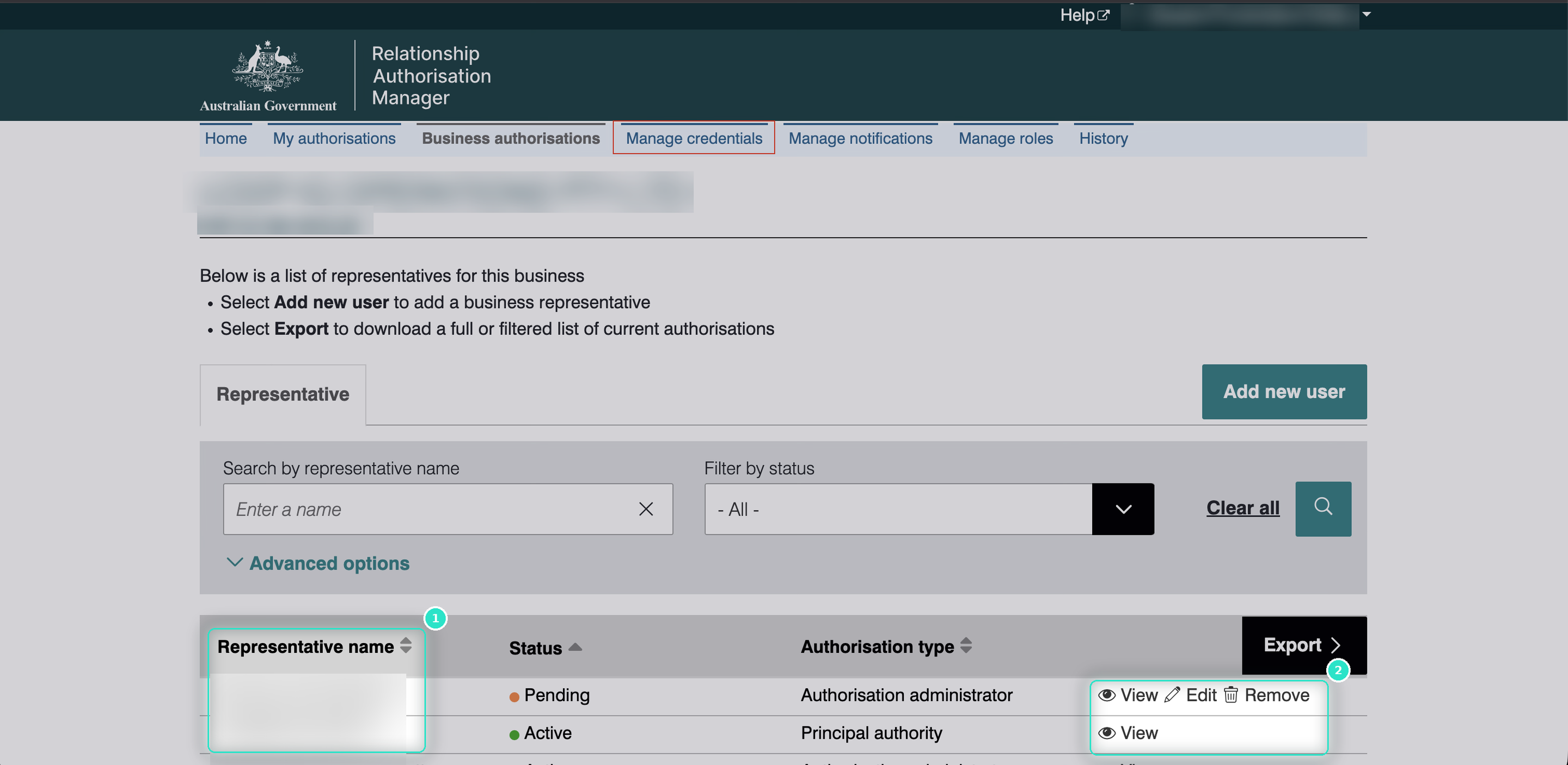
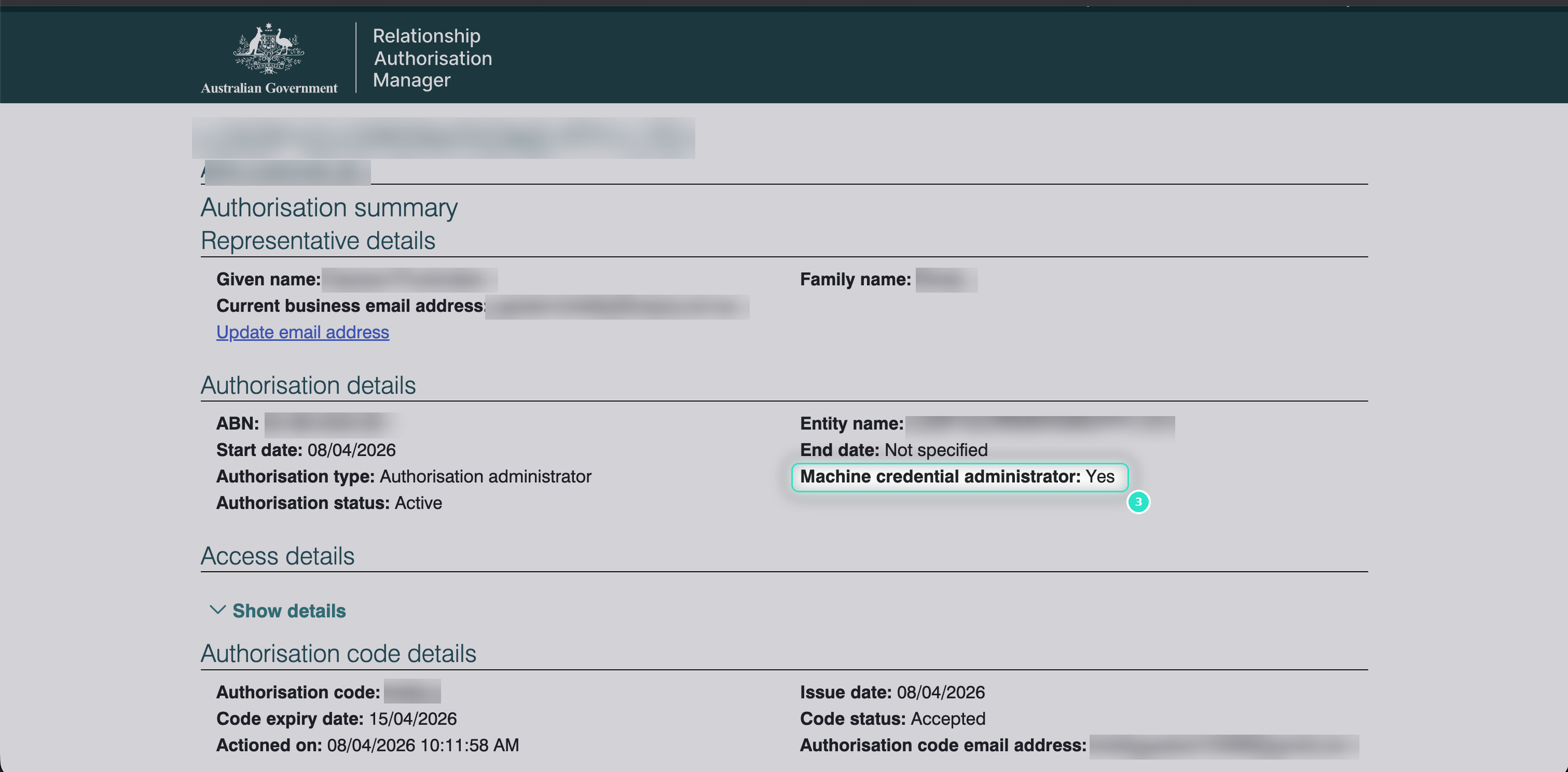
If it shows No, a Principal Authority or Authorisation Administrator in your organisation must grant you this access. RAM access is managed separately from PRODA access.
Download the credential
- On a computer with ATOBE installed, log in to RAM.
- Download the M2M machine credential as an .xml file.
- When prompted, set a credential store password. Keep the password with the file.
Note: ATOBE usually requires local administrator rights to install. If your devices are managed by IT, request the RAM / ATOBE IT Troubleshooting Guide from support@loopiq.com.au.
Upload the credential to Loop IQ
- On the Integrations page, locate Department of Health and click Manage.
- Drag the .xml file into the upload area, or click click to select (1). The maximum file size is 10 MB.
- Enter the Credential store password (2).
- Click Continue (3).
- On the GPMS Information step (4), enter your GPMS ACO ID, GPMS ID and GPMS Service ID.
- Click Continue.
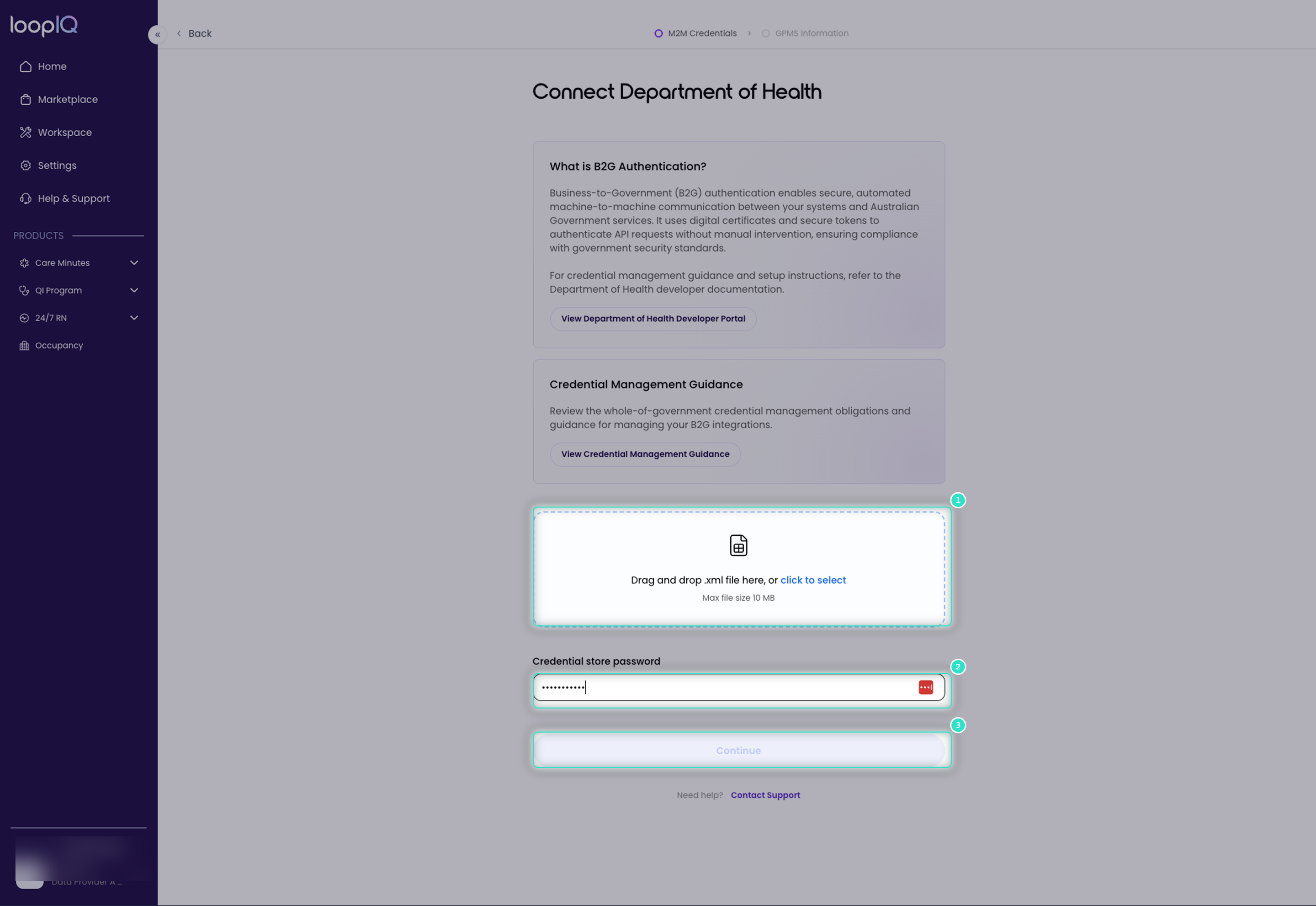
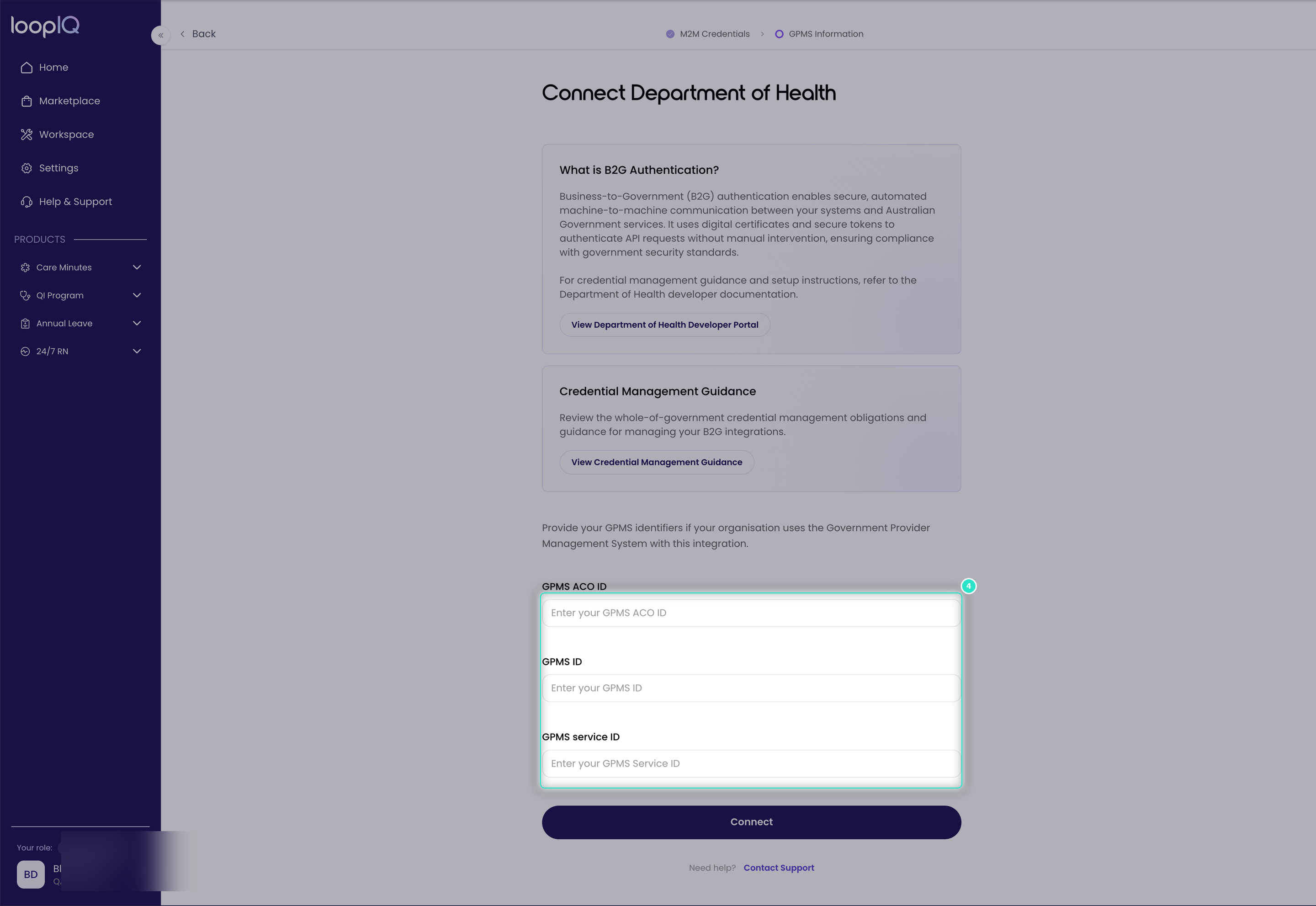
Loop IQ validates the certificate and GPMS details with the Department. Once complete, the page shows a green Connected badge and Status: Active.
Important: if you are unsure of your GPMS details, confirm them with your organisation's Department of Health account administrator before continuing. They can be corrected later using Edit GPMS details, but a submission may already have used them.
Managing the connection
- Update certificate: upload a new .xml file and password when the credential is renewed.
- Edit GPMS details: update the three GPMS identifiers.
- Remove integration: disconnects B2G. QI Program and 24/7 RN can no longer lodge submissions.
For more on updating a connection, see Manage a connected integration.
Was this article helpful?
Can't find what you are looking for?
Loop IQ customers - log a support ticket.
Not yet a customer? Email our support team.
 Log a support ticket
 support@loopiq.com.au