
Request an integration
If your organisation uses a system that is not listed on the Integrations page, you can request it. Click Request an integration on any Don't see your system? card or submit a support ticket.
Before you start
Plan: Available on all plans.
- System name: the vendor and product name, as shown on your invoice or login page.
Submit a request
- On the Integrations page, click Request an integration on any Don't see your system? card.
- Select the type of system (1). The field always defaults to the first option, so check it each time.
- Under What is the software called? (2), enter the vendor and product name, for example AutumnCare, Workday or iCare.
- Under What would you use it for in Loop IQ? (3), select each type of data the system would supply.
- Under Does it have an API? (4), select Yes - it has an API, No or Not sure.
- Under Anything else we should know? (5), add any useful detail, such as the number of facilities using the system. This field is optional.
- Click Submit request (7).
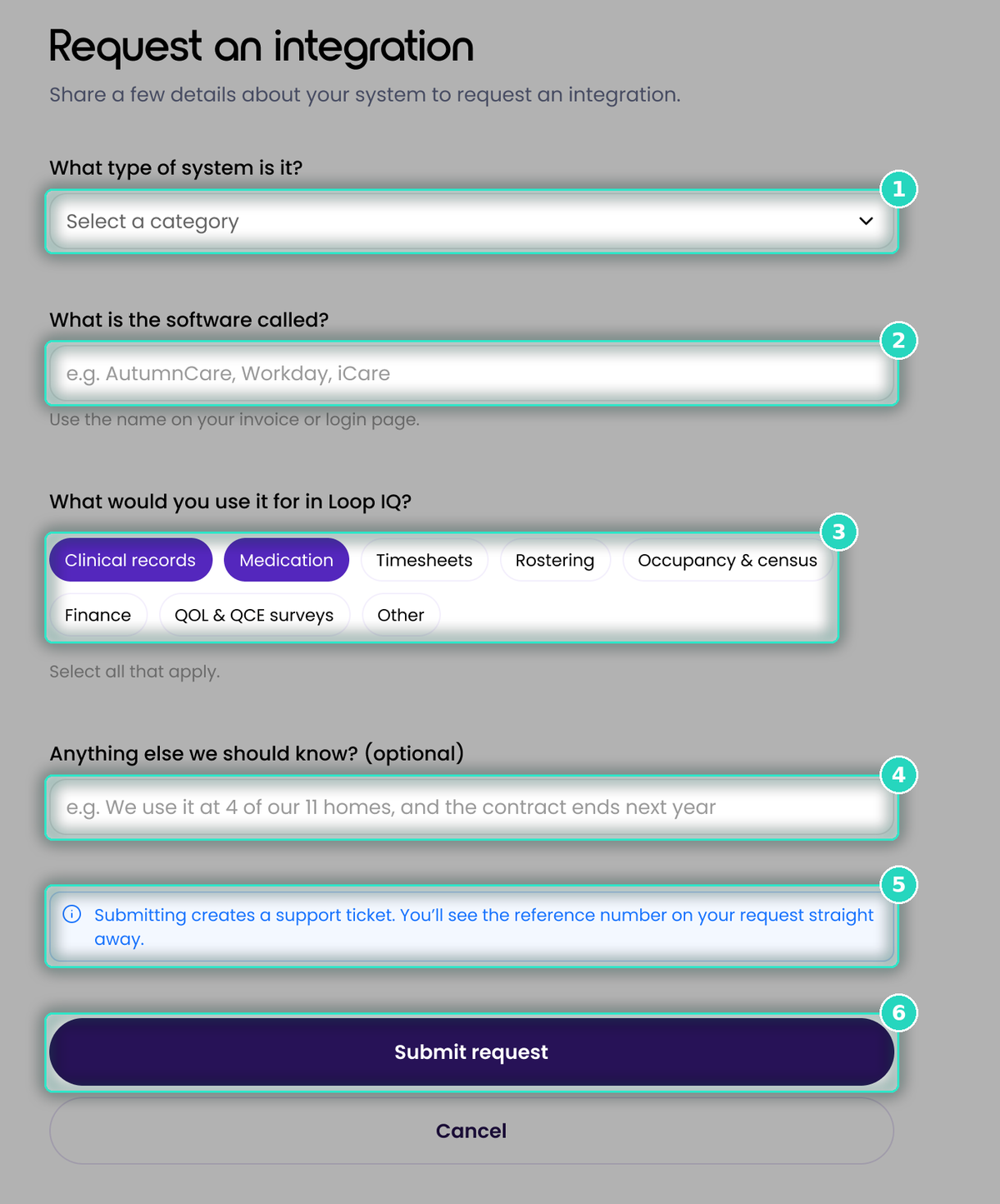
Submitting the form creates a support ticket (6). The ticket reference appears on your request card immediately. Quote this reference when contacting our support team.
To close the form without submitting, click Cancel.
Important: a request asks Loop IQ to assess the integration. It is not a commitment to build it, and the request card does not become a connection.
For more on the integrations already available, see Find an integration.
Was this article helpful?
Can't find what you are looking for?
Loop IQ customers - log a support ticket.
Not yet a customer? Email our support team.
 Log a support ticket
 support@loopiq.com.au