
Connect BestMed
Loop IQ reads medication data from BestMed to pre-fill some of the data for your QI Program submission. BestMed provisions the access, so allow approximately one week from signed consent.
Before you start
Plan: Paid integration.
- Access: the Manage integration configurations permission is required.
- BestMed contact: the authorised officer responsible for your BestMed relationship.
Request access from BestMed
- Contact BestMed and authorise them to provide Loop IQ with access to your medication data.
- Specify the facilities to include.
- Confirm that the access is read-only.
- Ask BestMed to send the API details through a secure channel. Credentials should never be sent by plain email.
BestMed provides a base URL, subscription key, client ID and client secret.
Enter the credentials in Loop IQ
- On the Integrations page, locate BestMed and click Connect.
- Check the Base URL (1). It is pre-filled; change it only if BestMed provided a different address.
- Enter the Subscription key (2).
- Enter the Client ID (3), exactly as issued by BestMed.
- Enter the Client secret (4).
- Click Connect (5).
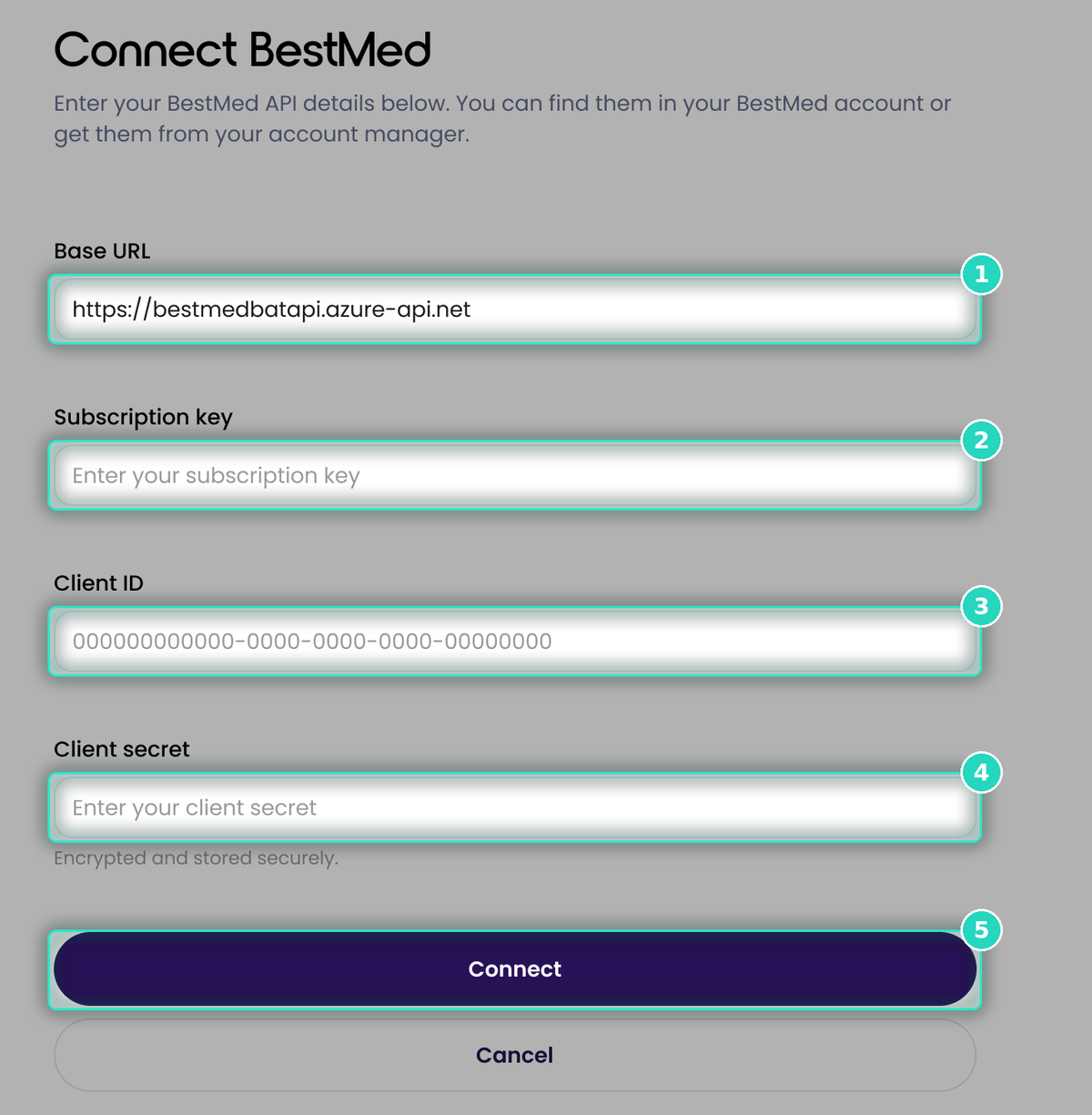
Loop IQ validates the details. If any information is missing, Loop IQ displays a message and does not connect. Ask BestMed to complete the access setup, then try again.
Once connected, the card status changes to Connected and the first read occurs within 24 hours. QI Program can then pre-fill the medication indicators. See Pre-fill your figures in QI Program.
For more on confirming the first refresh, see Data status explained.
Was this article helpful?
Can't find what you are looking for?
Loop IQ customers - log a support ticket.
Not yet a customer? Email our support team.
 Log a support ticket
 support@loopiq.com.au