
Review your submission summary
The Summary step shows exactly what you are about to lodge. This is your last opportunity to correct any errors easily before submission.
Before you start
Plan: Available on all plans.
- Requirements: Every operational day must have a status.
Review the month
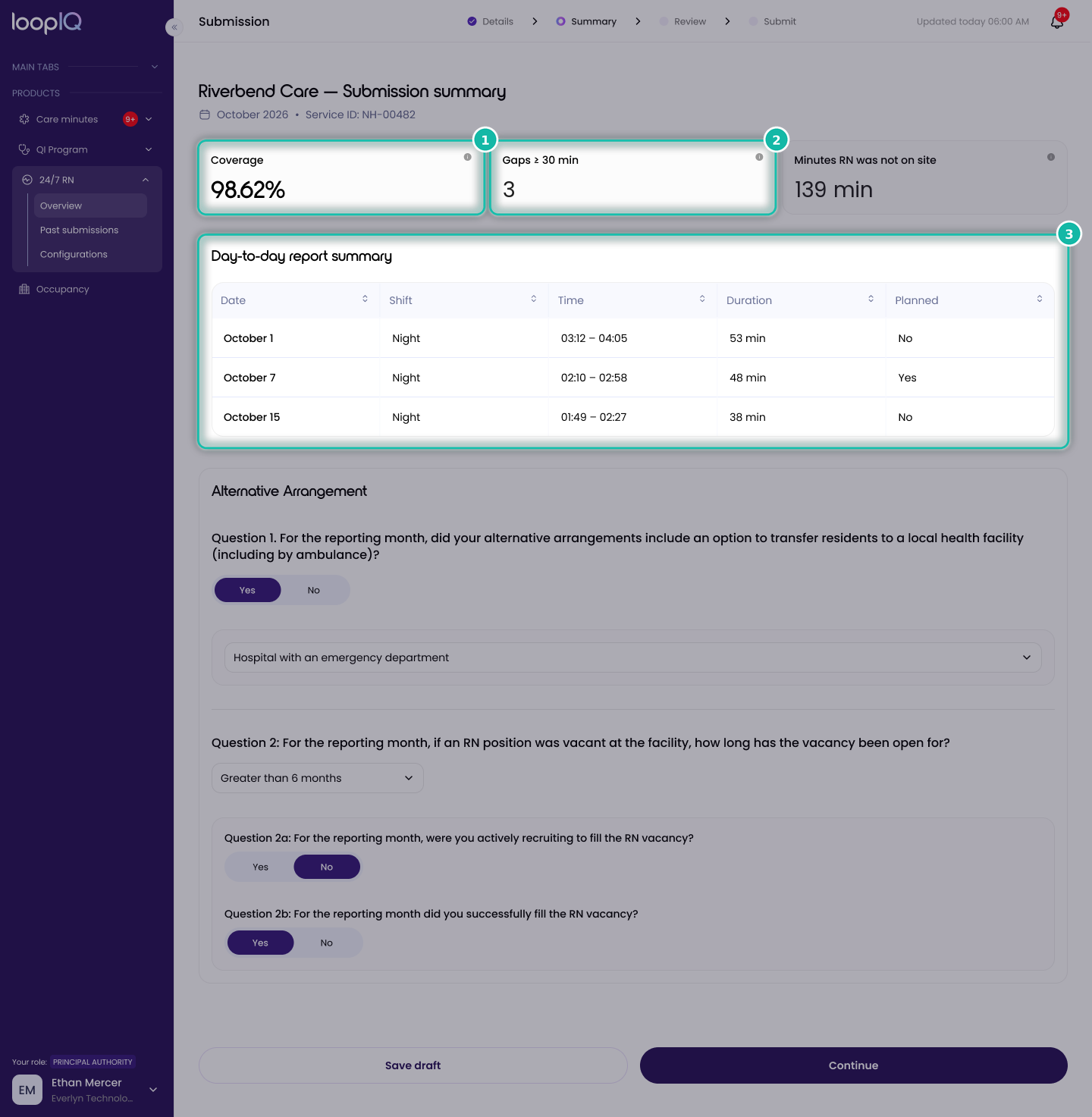
- Check Coverage (1), which is calculated across all recorded days.
- Check the gaps figure (2), which shows the number of periods that meet or exceed the reportable threshold.
- Review Days without an RN on site (3) for each day recorded as absent.
- Click Continue.
The Review step opens, ready for your declaration.
Important: A gap is reportable when it lasts 30 minutes or more. Separate gaps are never combined to meet this threshold, so two 20-minute gaps on the same day do not count as a reportable gap. While a submission is in draft, days marked as Not recorded are excluded from the coverage calculation rather than counted as zero. This means a high coverage percentage based on only a few recorded days may not reflect the month as a whole.
Was this article helpful?
Can't find what you are looking for?
Loop IQ customers - log a support ticket.
Not yet a customer? Email our support team.
 Log a support ticket
 support@loopiq.com.au