
Manage a connected integration
Open a connected integration to review its details, update its credentials or remove it. Click Manage on the integration's card.
Before you start
Plan: Available on all plans.
- Access: the Manage integration configurations permission is required. See About Integrations.
Open an integration
- On the Integrations page, locate the integration's card.
- Click Manage.
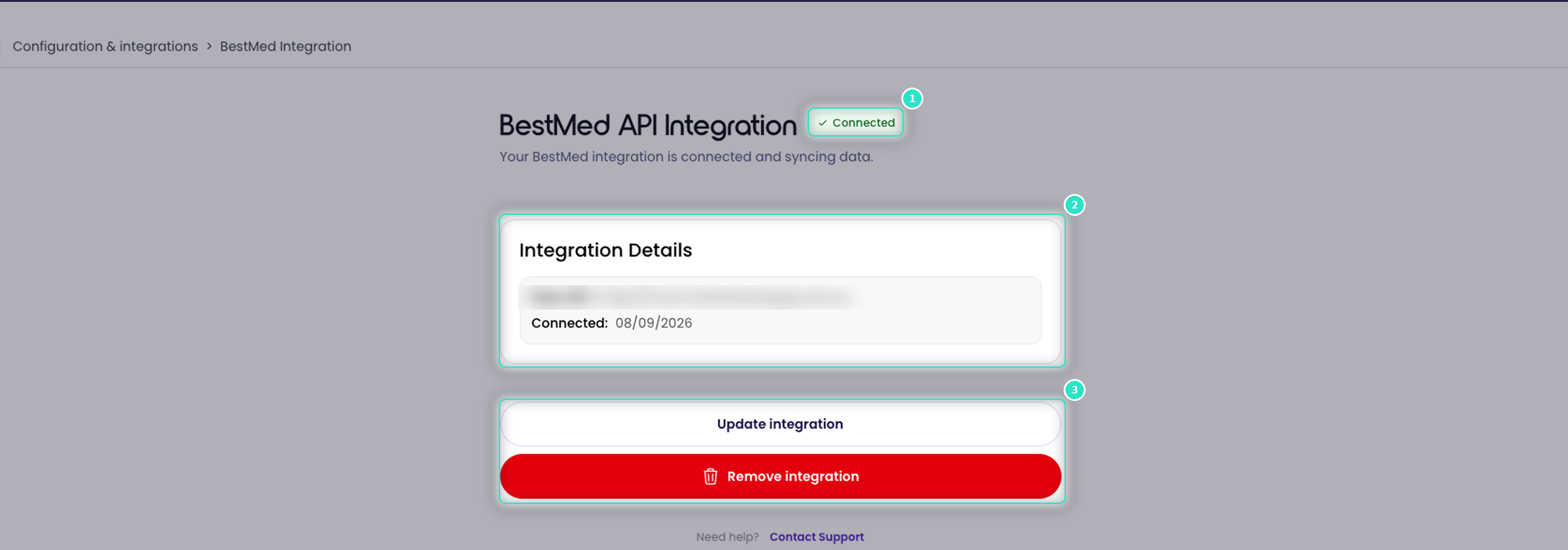
The detail page shows:
- Status (1): a green Connected badge confirms that the credentials Loop IQ holds are valid.
- Integration Details (2): the information shown varies by system. For Services Australia, it includes the Service, Authority, Connection type and date connected.
- Actions (3): Update integration and Remove integration.
To raise a support ticket, click Contact Support at the foot of the page.
Update credentials
Update the credentials when a key or secret is rotated or expires.
- Click Update integration (3).
- Enter the new credentials.
- Click Save.
Loop IQ validates the new credentials before saving them. For the Department of Health, use Update certificate or Edit GPMS details instead. See Connect the Department of Health (B2G).
Remove an integration
- Click Remove integration (3).
Loop IQ stops reading from the system. From the next refresh, any product that relied on the integration no longer receives automated data. You can reconnect at any time by repeating the connection steps.
Important: do not remove Services Australia or Department of Health to resolve an issue, as this affects every product that reads or lodges through them. Contact support@loopiq.com.au instead.
Mapping in each product
A connection tells Loop IQ where to read data from. It does not identify which role titles are registered nurses, or how your clinical system records each indicator. Review the mapping in each product after the first refresh. See Map your RN roles in 24/7 RN.
For more on confirming that a connection is working, see Data status explained.
Was this article helpful?
Can't find what you are looking for?
Loop IQ customers - log a support ticket.
Not yet a customer? Email our support team.
 Log a support ticket
 support@loopiq.com.au