
Roles and permissions
Access to 24/7 RN is controlled by workspace roles, which are managed under Workspace → Roles. Loop IQ provides a set of standard roles, and you can also create your own.
Before you start
Plan: Available on all plans.
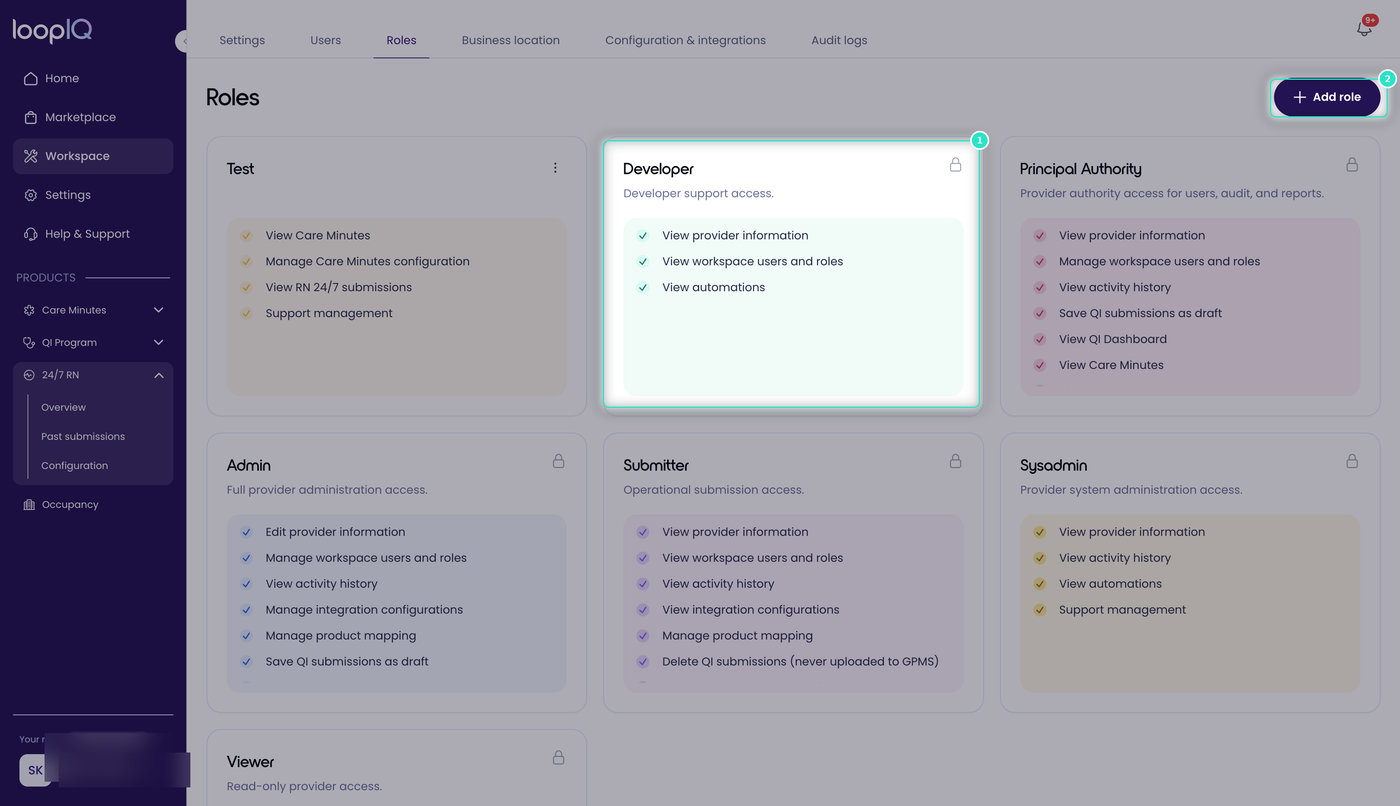
A role is a named set of permissions (1). Standard roles provided by Loop IQ are marked with a padlock and cannot be edited. To create your own role and choose each permission individually, click Add role (2).
24/7 RN has its own group of permissions, separate from those for other Loop IQ products.
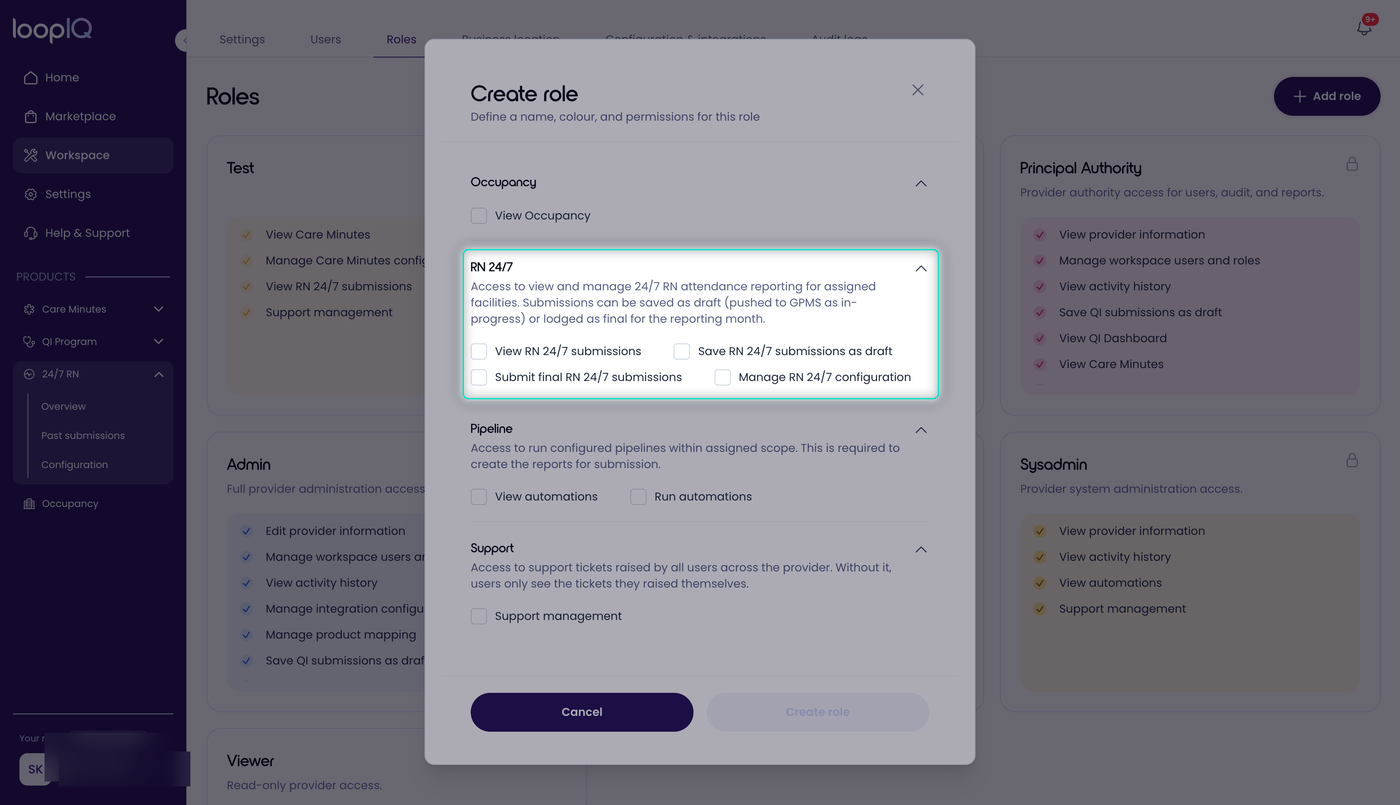
There are four permissions, and they build on one another:
- View 24/7 RN submissions: open and read a month without making changes.
- Save 24/7 RN submissions as draft: complete the month and save it as a draft. Drafts are sent to GPMS as in progress, so the Department can see them before the month is final.
- Submit final 24/7 RN submissions: lodge the month as the final return. This permission carries the declaration, so assign it with care.
- Manage 24/7 RN configuration: set a facility’s data source and map RN roles.
Because the permissions are separate, you can give someone the first two without the third. One person can then prepare each month while another reviews and lodges it.
Important: The Submit final 24/7 RN submissions permission is not enough on its own. A final submission can only be made by someone the Department recognises as a submitter in GPMS, who enters their Federated email and Federated ID when lodging. Granting the permission in Loop IQ does not make someone a GPMS submitter, as this is arranged with the Department. Check that anyone with this permission can lodge in GPMS, or the month cannot be completed at the final step. See Declare and lodge your submission.
Access is also limited by facility. Users see months only for the facilities they are assigned to, so two people with identical permissions may see different facilities.
For more on creating and assigning roles, see Workspace Role Management.
Was this article helpful?
Can't find what you are looking for?
Loop IQ customers - log a support ticket.
Not yet a customer? Email our support team.
 Log a support ticket
 support@loopiq.com.au