
Find a facility
The Overview is where you start each month. It shows every facility you manage and how far along each one is.
Before you start
Plan: Available on all plans.
- You need: a facility with a data source already configured
Access a facility's monthly submission
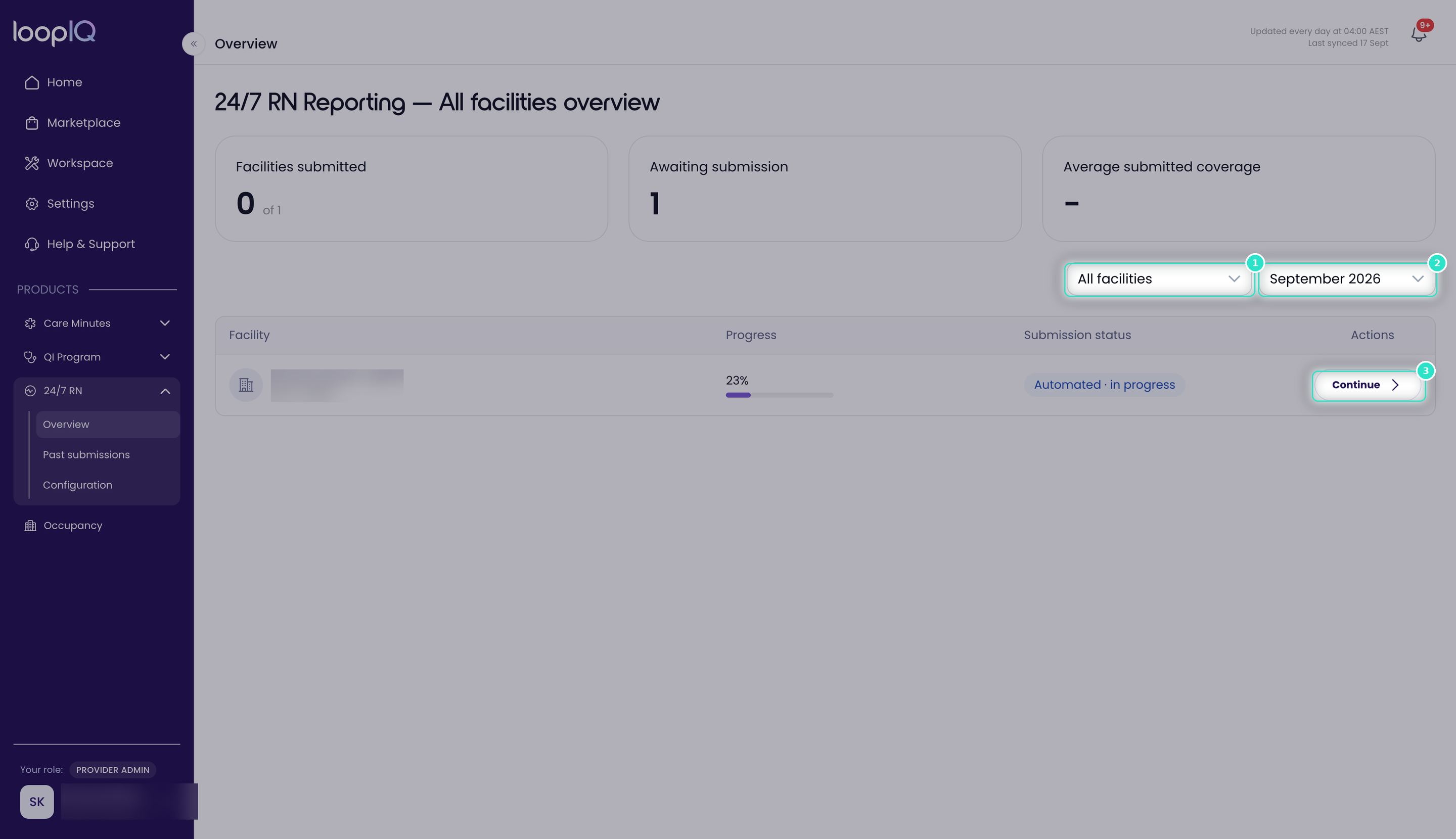
- From the left menu, click 24/7 RN, then select Overview.
- Use the facility filter (1) to locate a specific facility.
- Use the month selector (2) to choose the month you want to view.
- Click Continue (3) to open the submission.
The submission opens at the Details step, ready to complete.
Note: The month selector is not a filter. The table displays one month at a time, with each facility listed once. Changing the month reloads the full list with coverage data for the selected month.
Was this article helpful?
Can't find what you are looking for?
Loop IQ customers - log a support ticket.
Not yet a customer? Email our support team.
 Log a support ticket
 support@loopiq.com.au