
View facility details
The facility view shows a facility's reporting deadline, any outstanding submissions and its compliance history for the past six months.
Before you start
Plan: Available on all plans.
- Permissions: You need access to the facility.
Review a single facility
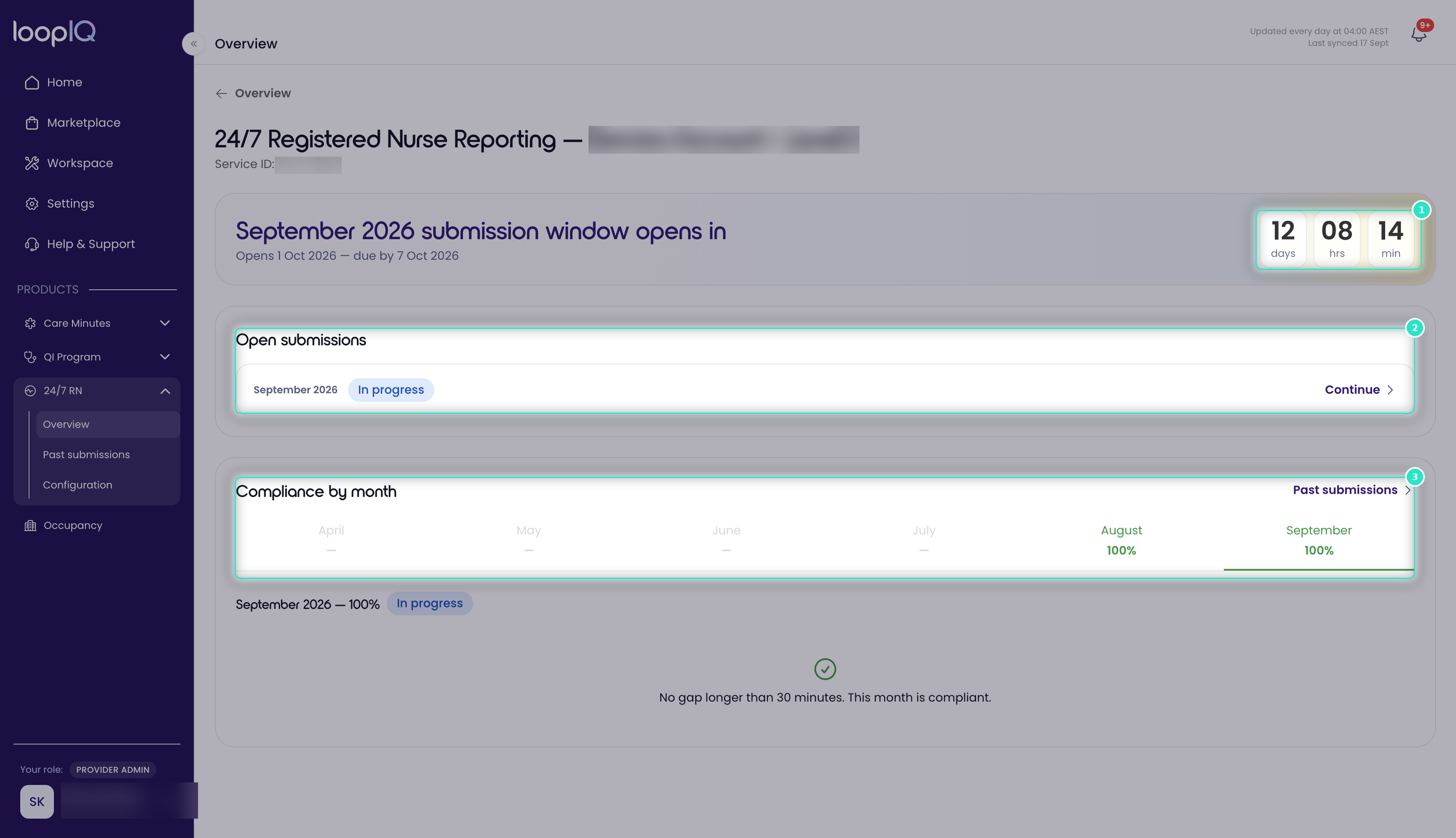
- On the Overview page, click the facility name.
- Check the countdown (1) to see when the reporting window opens and when the report is due.
- Under Open submissions (2), click Continue to resume a submission in progress.
- Review Compliance by month (3) to see coverage over the past six months.
Important: Months must be submitted in order. A month cannot be opened while an earlier month is still outstanding, so if a month appears unavailable, check for an earlier open submission. Any month lodged after its reporting window closes is marked as a Late submission.
Was this article helpful?
Can't find what you are looking for?
Loop IQ customers - log a support ticket.
Not yet a customer? Email our support team.
 Log a support ticket
 support@loopiq.com.au