
View past submissions
All months lodged through Loop IQ remain available, so you can review what was reported at any time.
Before you start
Plan: Available on all plans. Full version history requires a paid plan.
- Requirements: At least one month lodged through Loop IQ.
Open a lodged month
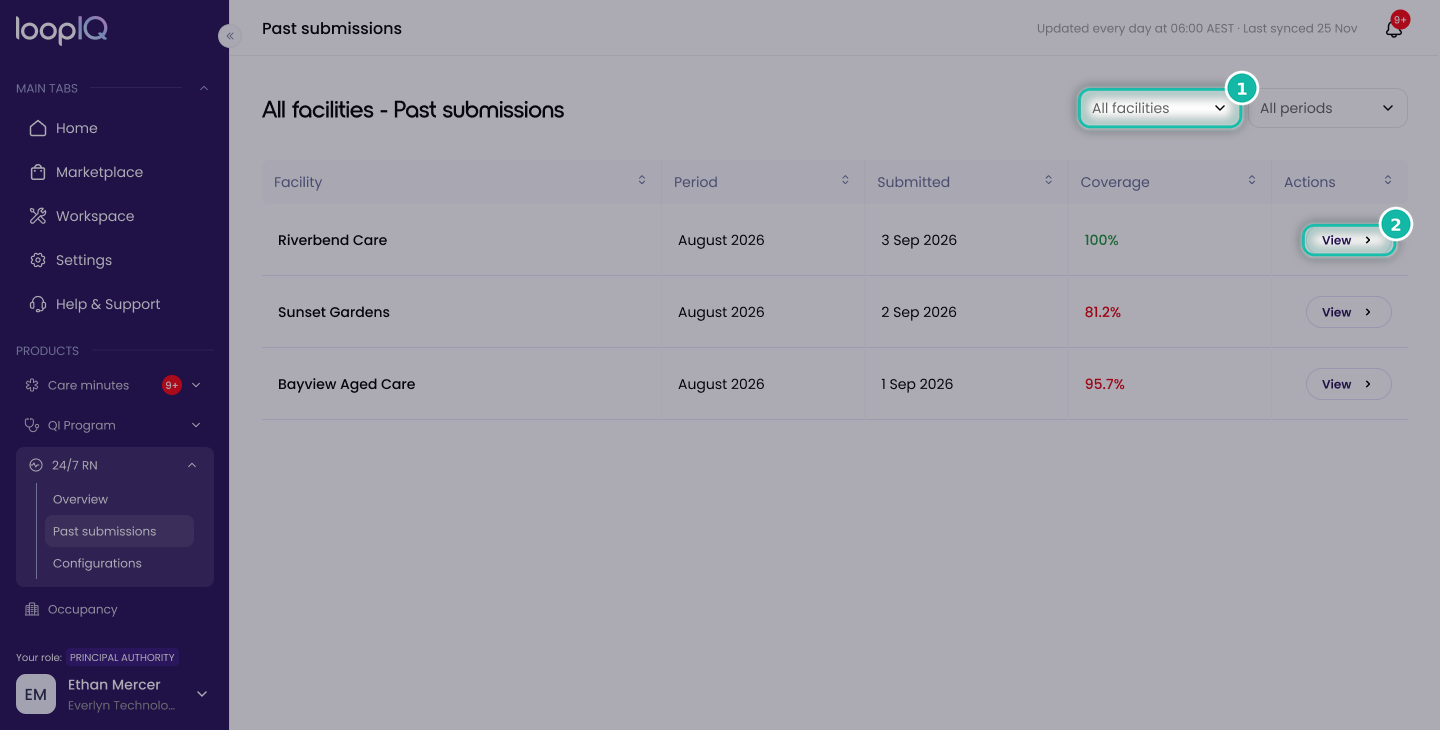
- From the left menu, click 24/7 RN, then select Past submissions.
- If you manage more than one facility, use the facility filter (1) to narrow the list.
- Click View (2) on the month you want to review.
The month opens, showing its coverage, gap count and periods without an RN on site.
Note: Only submissions lodged through Loop IQ are displayed. Months lodged directly in GPMS, or before your organisation began using Loop IQ, will not appear.
Was this article helpful?
Can't find what you are looking for?
Loop IQ customers - log a support ticket.
Not yet a customer? Email our support team.
 Log a support ticket
 support@loopiq.com.au