
Update your workspace settings
This section covers updating your workspace's basic information, business details, and address.
This section covers updating your workspace's basic information, business details, and address.
Go to Settings
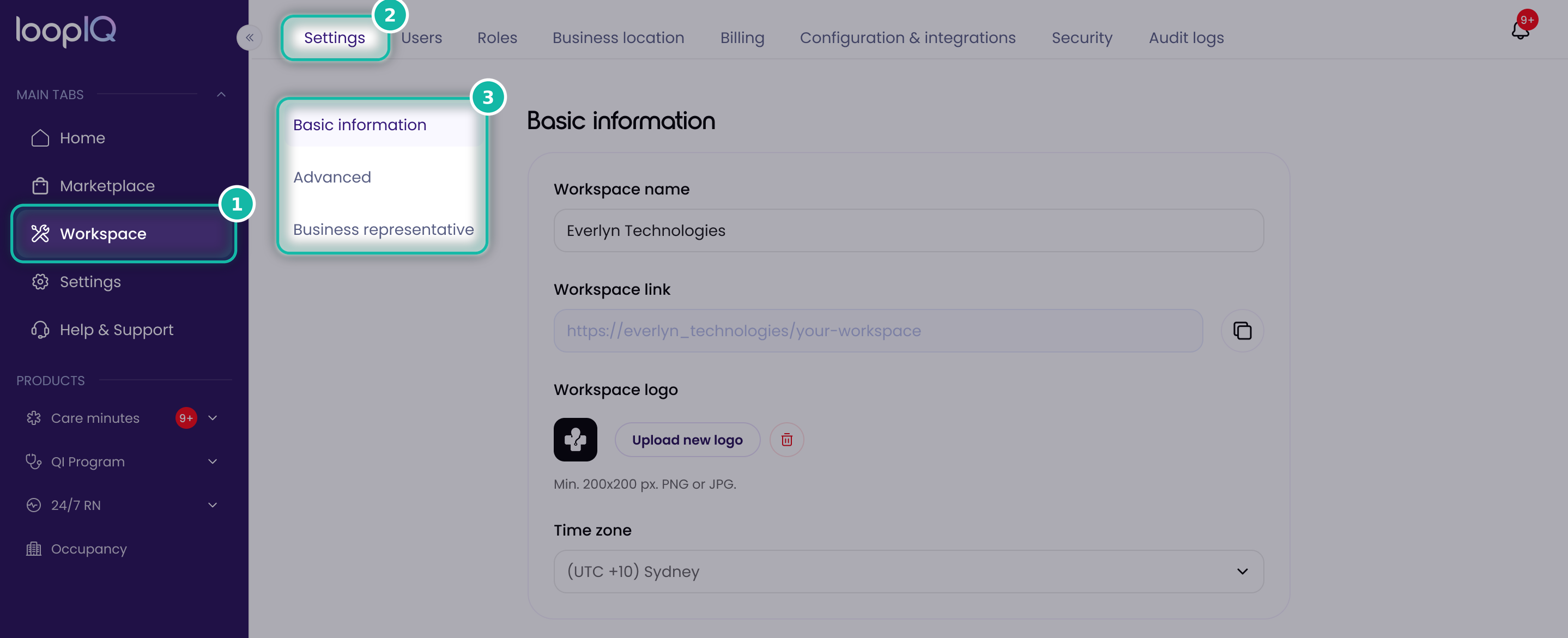
- Click Workspace in the left menu.
- Select the Settings tab.
- Use the links at the top of the page to jump to a section: Basic information, Advanced or Business representative.
Update basic information
- Under Workspace name, enter or edit your workspace name.
Complete the advanced details
- Choose location: this is selected for you by default.
- Business type: choose your business type from the dropdown, such as Partnership, Sole trader or Company.
- Business structure: choose the structure that matches your business, such as Limited partnership.
Enter your business details
- Legal business name: enter your business name exactly as it appears on your tax registration.
- Australian Company Number (ACN): enter your ACN. This is needed to verify your business.
Was this article helpful?
Can't find what you are looking for?
Loop IQ customers - log a support ticket.
Not yet a customer? Email our support team.
 Log a support ticket
 support@loopiq.com.au