
Roles & Permissions (RBAC)
Loop IQ uses role-based access control. Each person's role decides what they can see and do in your workspace and in each Loop IQ product. To lodge reports with the Department, some people also need a matching role in GPMS.
How permissions work
A role is a named set of permissions. Permissions are set at two levels:
- Workspace permissions control access to your organisation's settings, such as provider details, users and roles, integrations, activity history and automations.
- Product permissions control what someone can do inside a specific product. Each product has its own group of permissions, shown when you create or edit a role.
A single role can include permissions from both levels. To see exactly what a role includes, open Workspace → Roles and select the role.
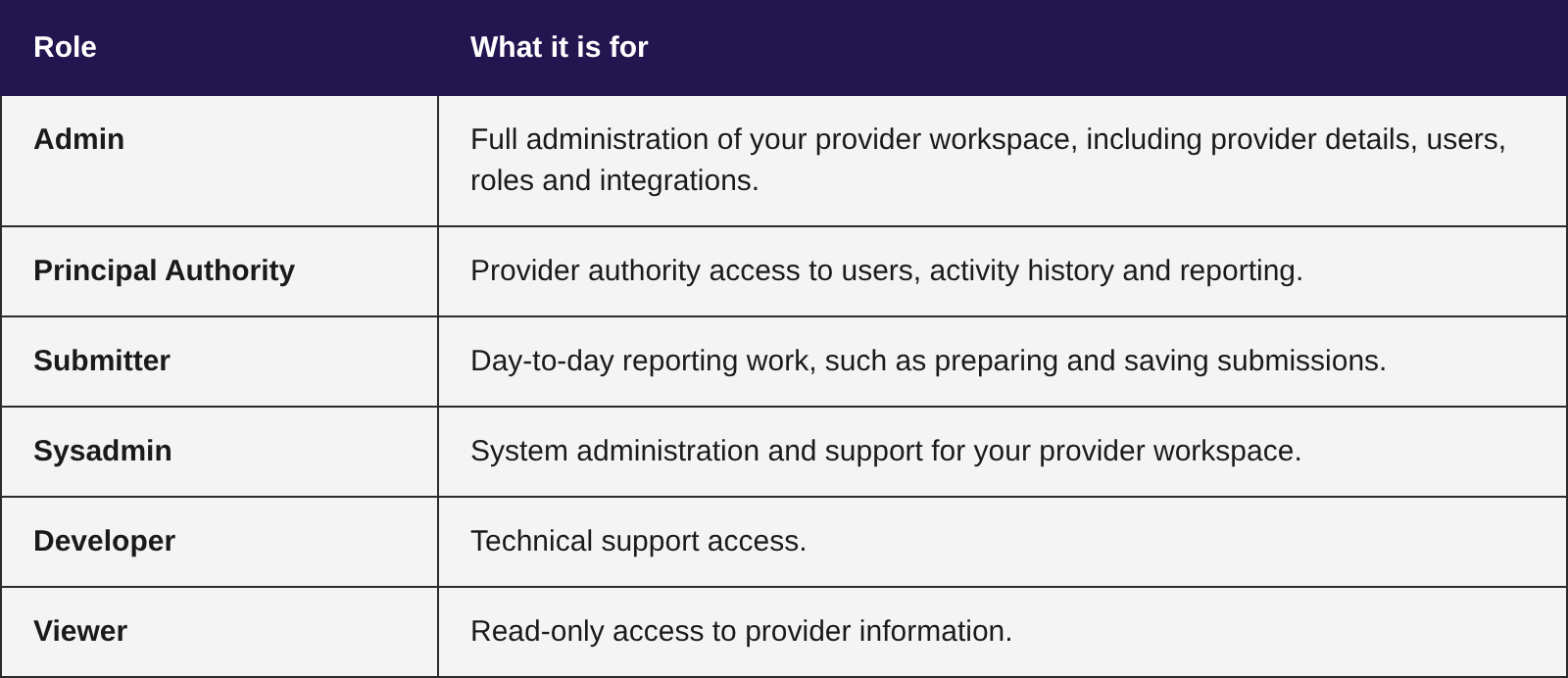
Standard roles
Loop IQ provides a set of standard roles. They're marked with a padlock and can't be edited. If none of them fits, you can create a custom role and choose each permission individually. See Create, Edit & Delete Roles.
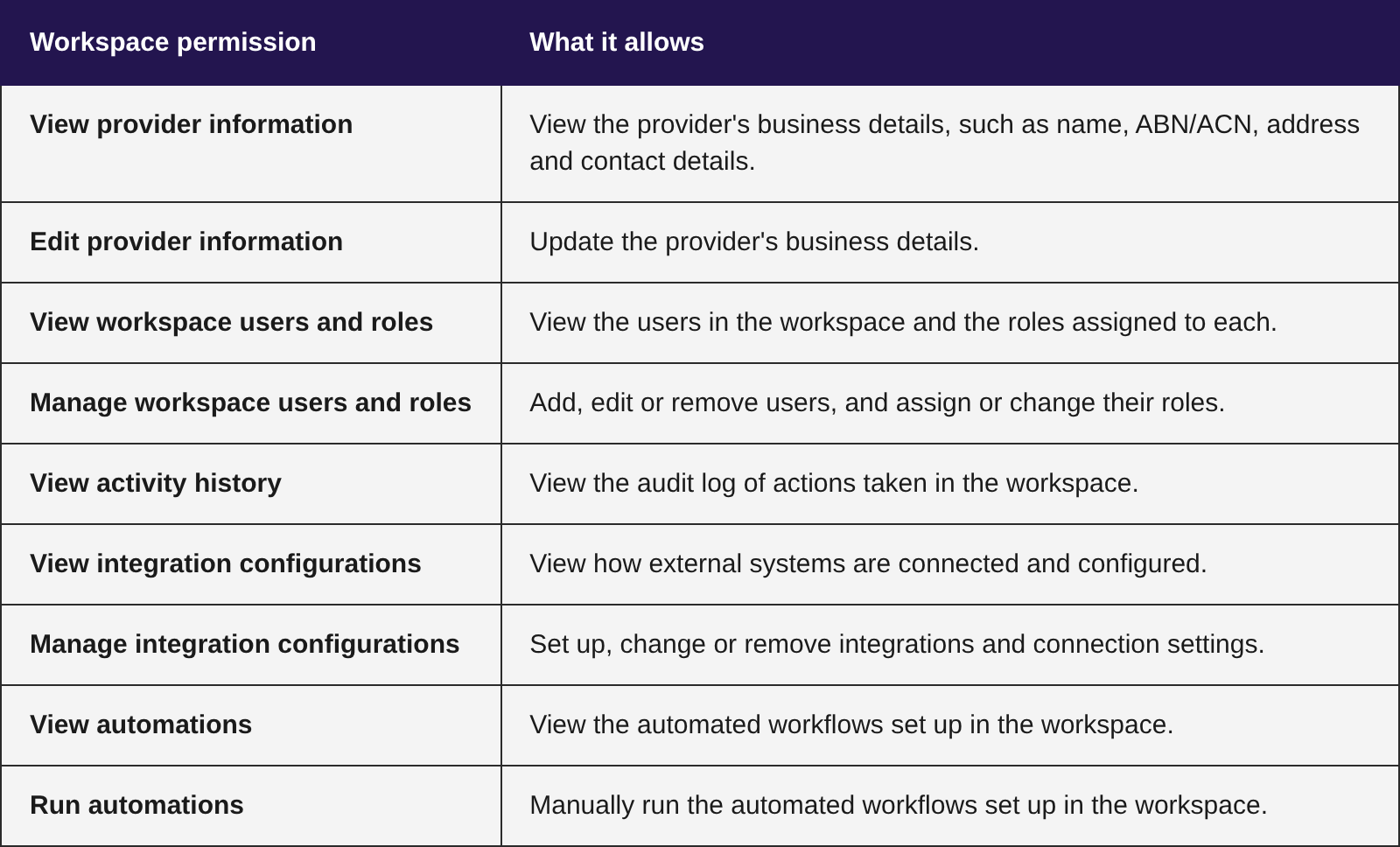
Workspace permissions
Workspace permissions apply across your whole organisation, whichever products you use.
Product permissions
Each product has its own permissions, which control actions such as viewing, preparing and submitting reports. They're explained in each product's guide.
Lodging reports with the Department
A Loop IQ role controls what someone can do in Loop IQ. It doesn't give them access to GPMS, the Department's Government Provider Management System. For products that lodge reports with the Department, the person making the final submission must also hold the matching role in GPMS. They confirm their identity by entering their Federated email and Federated ID when lodging.
GPMS roles are assigned in GPMS by your organisation's Organisation Administrator, not in Loop IQ. Products that don't lodge anything with the Department, such as Occupancy, don't need a GPMS role.
Important: Giving someone a submit permission in Loop IQ doesn't make them a GPMS submitter. If the person with that permission doesn't hold the matching GPMS role, they can prepare the report in Loop IQ but can't make the final submission. Check this before the reporting deadline, so the report isn't affected at the last step.
Access to facilities
Access is also limited by facility. People see only the facilities they're assigned to, so two people with the same role may see different facilities.
Was this article helpful?
Can't find what you are looking for?
Loop IQ customers - log a support ticket.
Not yet a customer? Email our support team.
 Log a support ticket
 support@loopiq.com.au