
Support History
Support History
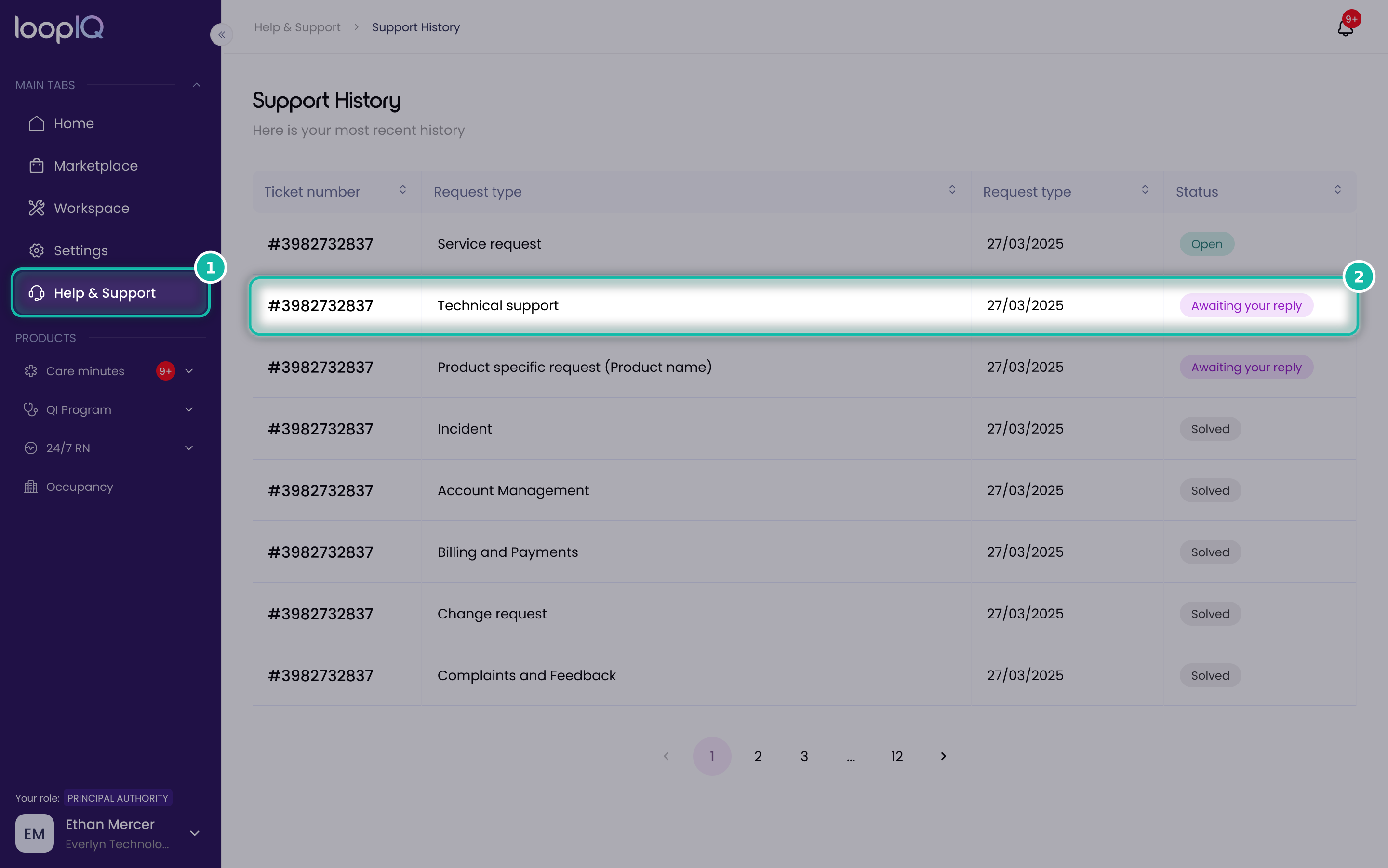
- From the left menu, click Help & Support (1), then open Support History to see all your submitted tickets.
- Click the ticket you want to view (2).
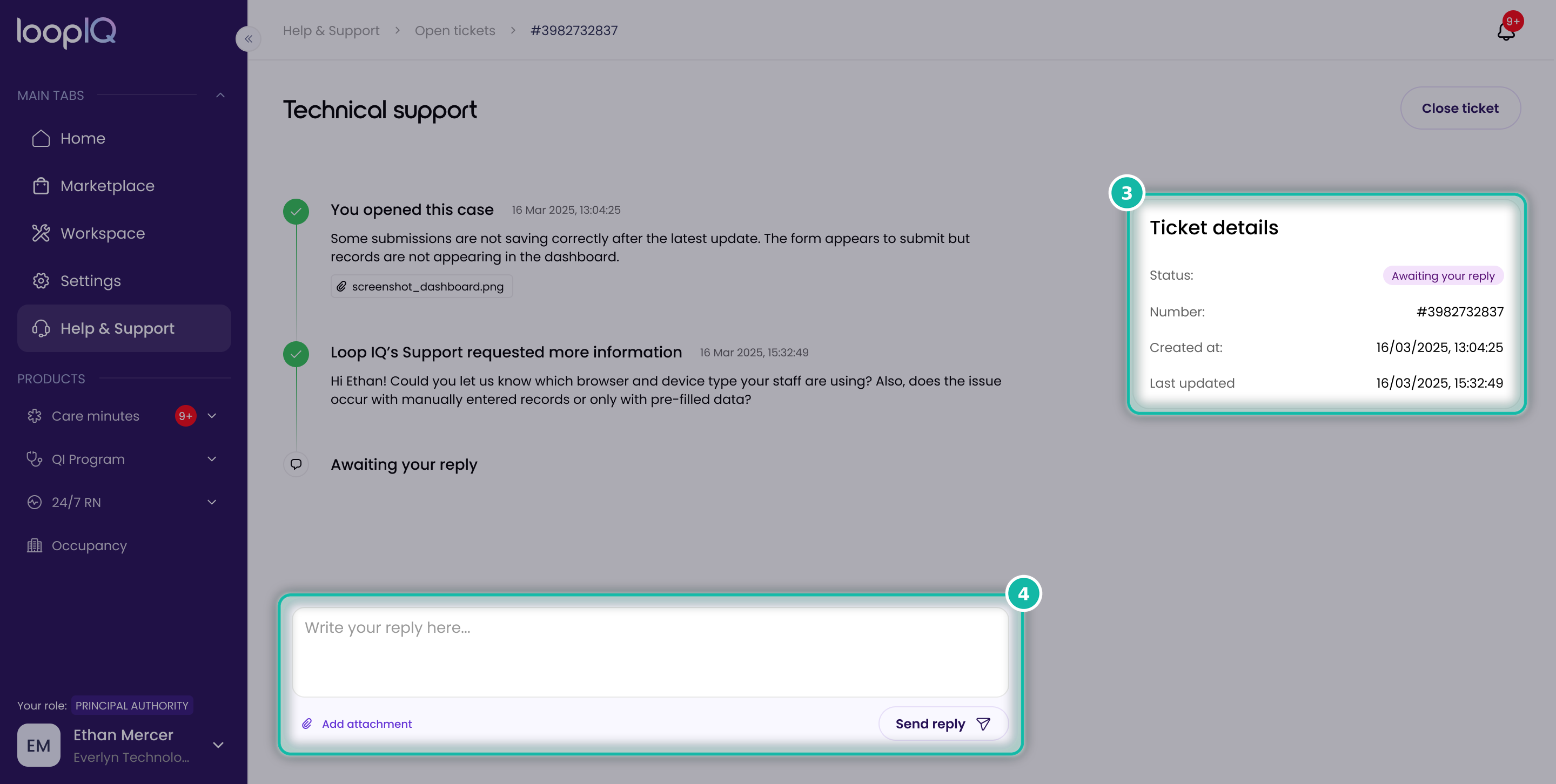
- Use the Ticket details panel (3) to check the status, ticket number and when it was last updated.
- To follow up, type your message in the reply box, add an attachment if needed, and click Send reply (4).
Ticket statuses
- Open: your ticket has been received and is being looked at.
- Awaiting your reply: the support team needs more information from you.
- Solved: the issue has been resolved.
Was this article helpful?
Can't find what you are looking for?
Loop IQ customers - log a support ticket.
Not yet a customer? Email our support team.
 Log a support ticket
 support@loopiq.com.au