
Submitting Support Tickets
This section covers submitting a support ticket and reviewing support history.
Submit a Support Ticket
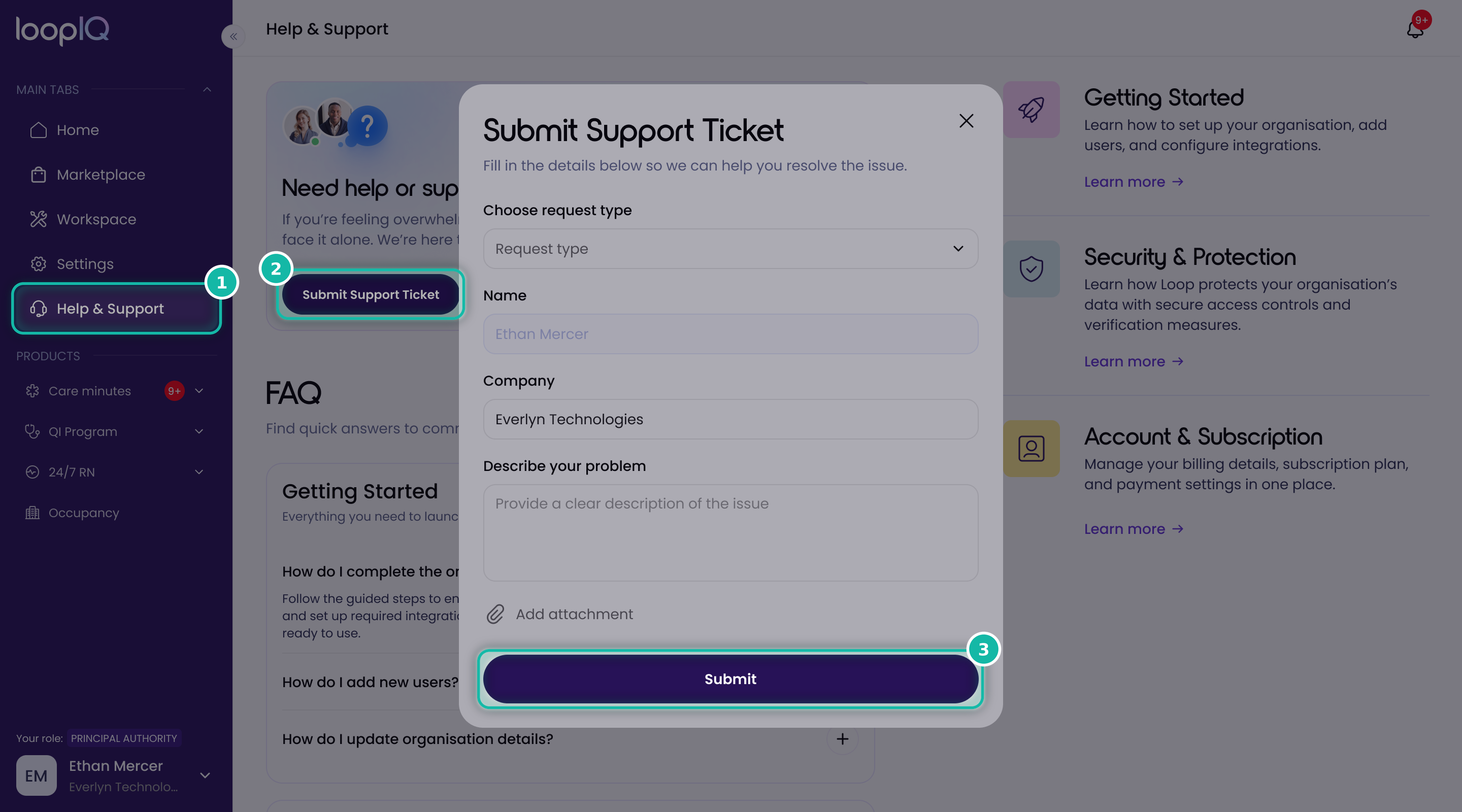
- From the left menu, click Help & Support (1).
- Click Submit Support Ticket (2).
- Choose a Request type from the dropdown, then select the option that best matches your issue.
- Check your Name and Company. These are filled in automatically.
- Under Describe your problem, explain the issue as clearly as you can.
- To include a screenshot or file, click Add attachment.
- Click Submit (3).
Your ticket will be submitted and a confirmation email will be sent to your email address.
Was this article helpful?
Can't find what you are looking for?
Loop IQ customers - log a support ticket.
Not yet a customer? Email our support team.
 Log a support ticket
 support@loopiq.com.au